[图像] 绘制3D立方体

Mr_MAO 3天前 211

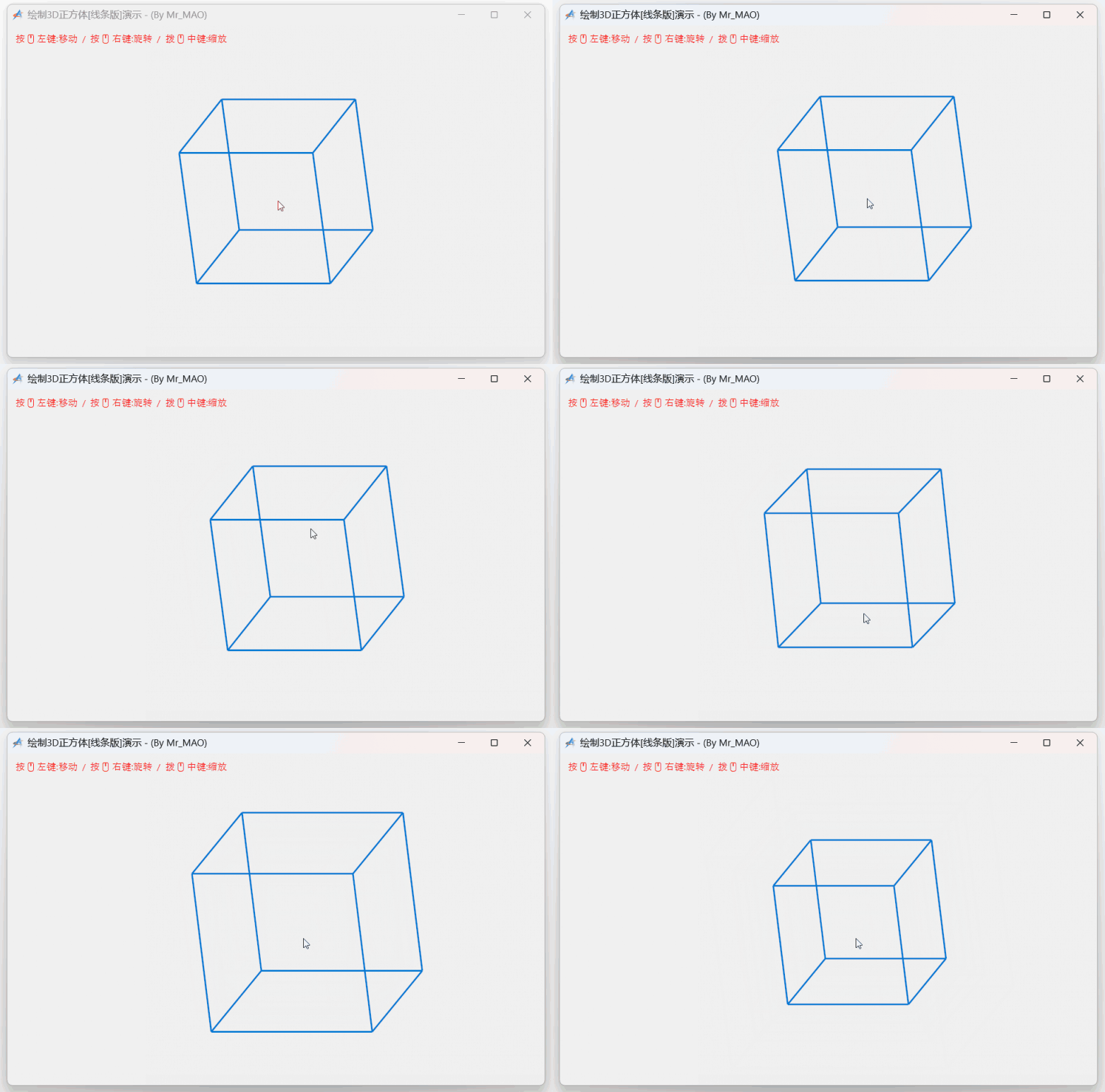
用到了图形学的一些技巧,感兴趣的朋友可以增加面和光源投影渐变。

import win.ui;
import gdip;
/*DSG{{*/
var winform = win.form(text="绘制3D正方体[线条版]演示 - (By Mr_MAO) ";right=759;bottom=469)
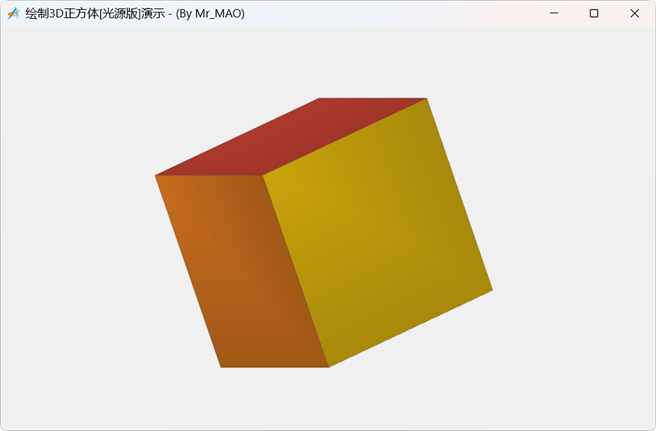
winform.add(
plus={cls="plus";left=0;top=0;right=760;bottom=470;db=1;dl=1;dr=1;dt=1;notify=1;z=1}
);
/*}}*/

// 定义 3D 顶点 (x, y, z)
var vertices = {
    {-1, -1, -1}; {1, -1, -1}; {1, 1, -1}; {-1, 1, -1};
    {-1, -1, 1}; {1, -1, 1}; {1, 1, 1}; {-1, 1, 1}
};

// 定义 12 条边
var edges = {
    {1, 2}; {2, 3}; {3, 4}; {4, 1}; // 底面
    {5, 6}; {6, 7}; {7, 8}; {8, 5}; // 顶面
    {1, 5}; {2, 6}; {3, 7}; {4, 8}  // 侧边
};

// 状态变量
var cubeState = {
    angleX = 0.5;
    angleY = 0.5;
    scale = 100;
    offsetX = 380;
    offsetY = 235;
}

// 旋转计算
var rotate = function(v, ax, ay) {
    var x, y, z = v[1], v[2], v[3];
    // 绕 X 轴旋转
    var y1 = y * ..math.cos(ax) - z * ..math.sin(ax);
    var z1 = y * ..math.sin(ax) + z * ..math.cos(ax);
    // 绕 Y 轴旋转
    var x2 = x * ..math.cos(ay) + z1 * ..math.sin(ay);
    var z2 = -x * ..math.sin(ay) + z1 * ..math.cos(ay);
    return x2, y1, z2;
}

var formRGB = ::GetSysColor(0x4/*_COLOR_MENU*/);
var formARGB = ( (formRGB  & 0xFF) << 16 ) | (formRGB & 0xFF00) |  (formRGB>> 16 & 0xFF) | 0xFF000000;

// 绘图回调
winform.plus.onDrawForegroundEnd = function(graphics, rc){
    graphics.clear( formARGB ); 
    graphics.smoothingMode = 4/*_SmoothingModeAntiAlias*/; 
    
    //自适应显示器的分辨率
    var scaleX, scaleY = winform.getScale();
    graphics.scale(scaleX, scaleY);
    
    // 绘制线条
    var pen = gdip.pen(0xFF0078D4, 3); 
    var projected = {};
    for(i=1;#vertices){
        var v = vertices[i];
        var x, y, z = rotate(v, cubeState.angleX, cubeState.angleY);
        ..table.push(projected, {
            x = x * cubeState.scale + cubeState.offsetX;
            y = y * cubeState.scale + cubeState.offsetY;
        });
    }

    for(i=1;#edges){
        var e = edges[i];
        var p1 = projected[e[1]];
        var p2 = projected[e[2]];
        graphics.drawLine(pen, p1.x, p1.y, p2.x, p2.y);
    }
    pen.delete();
    
    // 绘制文本
    var fontFamily = gdip.family("Segoe UI Emoji");
    var font = fontFamily.createFont(12, 0/*_FontStyleRegular*/);
    var strformat = gdip.stringformat();
    var brushText = gdip.solidBrush(0xFFFF0000);
    graphics.drawString("按🖱左键:移动  /  按🖱右键:旋转  /  拨🖱中键:缩放", font, ::RECTF(10, 10, 400, 50), strformat, brushText);
    font.delete(); brushText.delete(); strformat.delete(); fontFamily.delete();
}

// 鼠标交互逻辑
var mousePos = {x=0; y=0};
var isDragging = false; 
var isRotating = false; 

// 处理鼠标事件
winform.plus.wndproc = function(hwnd,message,wParam,lParam){
    select( message ) {
        case 0x201/*_WM_LBUTTONDOWN*/{
            var x, y = win.getMessagePos(lParam);
            mousePos.x, mousePos.y = x, y;
            isDragging = true;
            winform.plus.capture = true;
        }   
        case 0x204/*_WM_RBUTTONDOWN*/, 0x207/*_WM_MBUTTONDOWN*/{
            isRotating = true;
            winform.plus.capture = true;
        }
        case 0x20A/*_WM_MOUSEWHEEL*/{
            var delta = wParam >> 16;
            cubeState.scale = cubeState.scale + (delta / 120) * 10;
            if(cubeState.scale < 10) cubeState.scale = 10; 
            winform.plus.redraw();   
        } 
        case 0x202/*_WM_LBUTTONUP*/,0x205/*_WM_RBUTTONUP*/,0x208/*_WM_MBUTTONUP*/{
            isDragging = false;  isRotating = false;
            winform.plus.capture = false;
        }
    }
}

winform.plus.onMouseMove = function(wParam,lParam){
    var x, y = win.getMessagePos(lParam);
    var dx = x - mousePos.x;
    var dy = y - mousePos.y;

    if(isDragging){
        cubeState.offsetX = cubeState.offsetX + dx;
        cubeState.offsetY = cubeState.offsetY + dy;
        winform.plus.redraw();
    }
    elseif(isRotating){
        cubeState.angleY = cubeState.angleY + dx * 0.01;
        cubeState.angleX = cubeState.angleX + dy * 0.01;
        winform.plus.redraw();
    }

    mousePos.x = x;
    mousePos.y = y;
}

winform.show();
win.loopMessage();

最新回复 (13)
  • 近我者赤 3天前
    0 2

    牛  

  • 光庆 2天前
    0 3

    牛  

  • 光庆 2天前
    0 4

    import win.ui;
    import gdip;
    /*DSG{{*/
    var winform = win.form(text="绘制3D正方体[线条版]演示 - (By Mr_MAO) ";right=759;bottom=469)
    winform.add(
    plus={cls="plus";left=0;top=0;right=760;bottom=470;db=1;dl=1;dr=1;dt=1;notify=1;z=1}
    );
    /*}}*/
    
    // 定义 3D 顶点 (x, y, z)
    var vertices = {
        {-1, -1, -1}; {1, -1, -1}; {1, 1, -1}; {-1, 1, -1};
        {-1, -1, 1}; {1, -1, 1}; {1, 1, 1}; {-1, 1, 1}
    };
    
    // 定义 12 条边
    var edges = {
        {1, 2}; {2, 3}; {3, 4}; {4, 1}; // 底面
        {5, 6}; {6, 7}; {7, 8}; {8, 5}; // 顶面
        {1, 5}; {2, 6}; {3, 7}; {4, 8}  // 侧边
    };
    
    // 定义 6 个面
    var faces = {
    	{1,2,3,4},{5,6,7,8},{1,2,6,5},{2,3,7,6},{3,4,8,7},{4,1,5,8}
    };
    // 定义 6 个面的颜色
    var facecolors = {
    	0xFFF0E68C,0xFF90EE90,0xFF9370DB,0xFFFF6347,0xFF4169E1,0xFFD3D3D3
    };
    
    
    // 状态变量
    var cubeState = {
        angleX = 0.5;
        angleY =0.5;
        scale = 100;
        offsetX = 380;
        offsetY = 235;
    }
    
    // 旋转计算
    var rotate = function(v, ax, ay) {
        var x, y, z = v[1], v[2], v[3];
        // 绕 X 轴旋转
        var y1 = y * ..math.cos(ax) - z * ..math.sin(ax);
        var z1 = y * ..math.sin(ax) + z * ..math.cos(ax);
        // 绕 Y 轴旋转
        var x2 = x * ..math.cos(ay) + z1 * ..math.sin(ay);
        var z2 = -x * ..math.sin(ay) + z1 * ..math.cos(ay);
        return x2, y1, z2;
    }
    
    // 绘图回调
    winform.plus.onDrawForegroundEnd = function(graphics, rc){
        var rgbForm = ::GetSysColor(0x4/*_COLOR_MENU*/);
        // rgb → argb
        var argbForm = ( (rgbForm  & 0xFF) << 16 ) | (rgbForm & 0xFF00) |  (rgbForm>> 16 & 0xFF) | 0xFF000000;
        graphics.clear( argbForm ); 
        
        //自适应显示器的分辨率
        var scaleX, scaleY = winform.getScale();
        graphics.scale(scaleX, scaleY);
        
        // 计算坐标
        var projected,maxz,maxp = {},0,0;
        for(i=1;#vertices){
            var v = vertices[i];
            var x, y, z = rotate(v, cubeState.angleX, cubeState.angleY);
            ..table.push(projected, {
                x = x * cubeState.scale + cubeState.offsetX;
                y = y * cubeState.scale + cubeState.offsetY;
            });
            if z>maxz {
            	maxz = z;
            	maxp = i;
            }
        }
        
        //绘制面
        var pen = gdip.pen(0xFF000000,1);   
        for(i=1;#faces;1){
            if ..table.find(faces[i],maxp){
                var brush = ..gdip.solidBrush(facecolors[i])
        		graphics.fillPolygon(brush,
        								[projected[faces[i][1]].x,
        								projected[faces[i][1]].y,
        								projected[faces[i][2]].x,
        								projected[faces[i][2]].y,
        								projected[faces[i][3]].x,
        								projected[faces[i][3]].y,
        								projected[faces[i][4]].x,
        								projected[faces[i][4]].y]
        		)
        		graphics.drawPolygon(pen,
        								[projected[faces[i][1]].x,
        								projected[faces[i][1]].y,
        								projected[faces[i][2]].x,
        								projected[faces[i][2]].y,
        								projected[faces[i][3]].x,
        								projected[faces[i][3]].y,
        								projected[faces[i][4]].x,
        								projected[faces[i][4]].y])
        		brush.delete()
            }
        }
        pen.delete();    
        
    	// 绘制文本
        var fontFamily = gdip.family("Segoe UI Emoji");
        var font = fontFamily.createFont(12, 0/*_FontStyleRegular*/);
        var strformat = gdip.stringformat();
        var brushText = gdip.solidBrush(0xFFFF0000);
        graphics.drawString(
            "按🖱左键:移动  /  按🖱右键:旋转  /  拨🖱中键:缩放",
            font, 
            ::RECTF(10, 10, 400, 50),
            strformat,
            brushText
        );
        //绘制节点序号
       for(i=1;#projected){
            graphics.drawString(i++"",
            				font, 
            				::RECTF(projected[i].x,projected[i].y, 50, 50),
            				strformat,
            				brushText
            )
        }    
        font.delete(); brushText.delete(); strformat.delete(); fontFamily.delete();
    }
    
    // 鼠标交互逻辑
    var mousePos = {x=0; y=0};
    var isDragging = false; 
    var isRotating = false; 
    
    // 处理鼠标事件
    winform.plus.wndproc = function(hwnd,message,wParam,lParam){
        select( message ) {
            case 0x201/*_WM_LBUTTONDOWN*/{
                var x, y = win.getMessagePos(lParam);
                mousePos.x, mousePos.y = x, y;
                
                isDragging = true;
                winform.plus.capture = true;
            }   
            case 0x204/*_WM_RBUTTONDOWN*/, 0x207/*_WM_MBUTTONDOWN*/{
                isRotating = true;
                winform.plus.capture = true;
            }
            case 0x20A/*_WM_MOUSEWHEEL*/{
                var delta = wParam >> 16;
                cubeState.scale = cubeState.scale + (delta / 120) * 10;
                if(cubeState.scale < 10) cubeState.scale = 10; 
                winform.plus.redraw();   
            } 
            case 0x202/*_WM_LBUTTONUP*/,0x205/*_WM_RBUTTONUP*/,0x208/*_WM_MBUTTONUP*/{
                isDragging = false;  isRotating = false;
                winform.plus.capture = false;
            }
        }
    }
    
    winform.plus.onMouseMove = function(wParam,lParam){
        var x, y = win.getMessagePos(lParam);
        var dx = x - mousePos.x;
        var dy = y - mousePos.y;
    
        if(isDragging){
            cubeState.offsetX = cubeState.offsetX + dx;
            cubeState.offsetY = cubeState.offsetY + dy;
            winform.plus.redraw();
        }
        elseif(isRotating){
            cubeState.angleY = cubeState.angleY + dx * 0.01;
            cubeState.angleX = cubeState.angleX + dy * 0.01;
            winform.plus.redraw();
        }
    
        mousePos.x = x;
        mousePos.y = y;
    }
    
    winform.show();
    win.loopMessage();

  • Mr_MAO 2天前
    0 5
    光神👍👍👍,有点sketchUp的感觉了!🙂
  • breezee 2天前
    0 6
    感觉透视有点问题,可能跟算法有关
  • Mr_MAO 2天前
    1 7

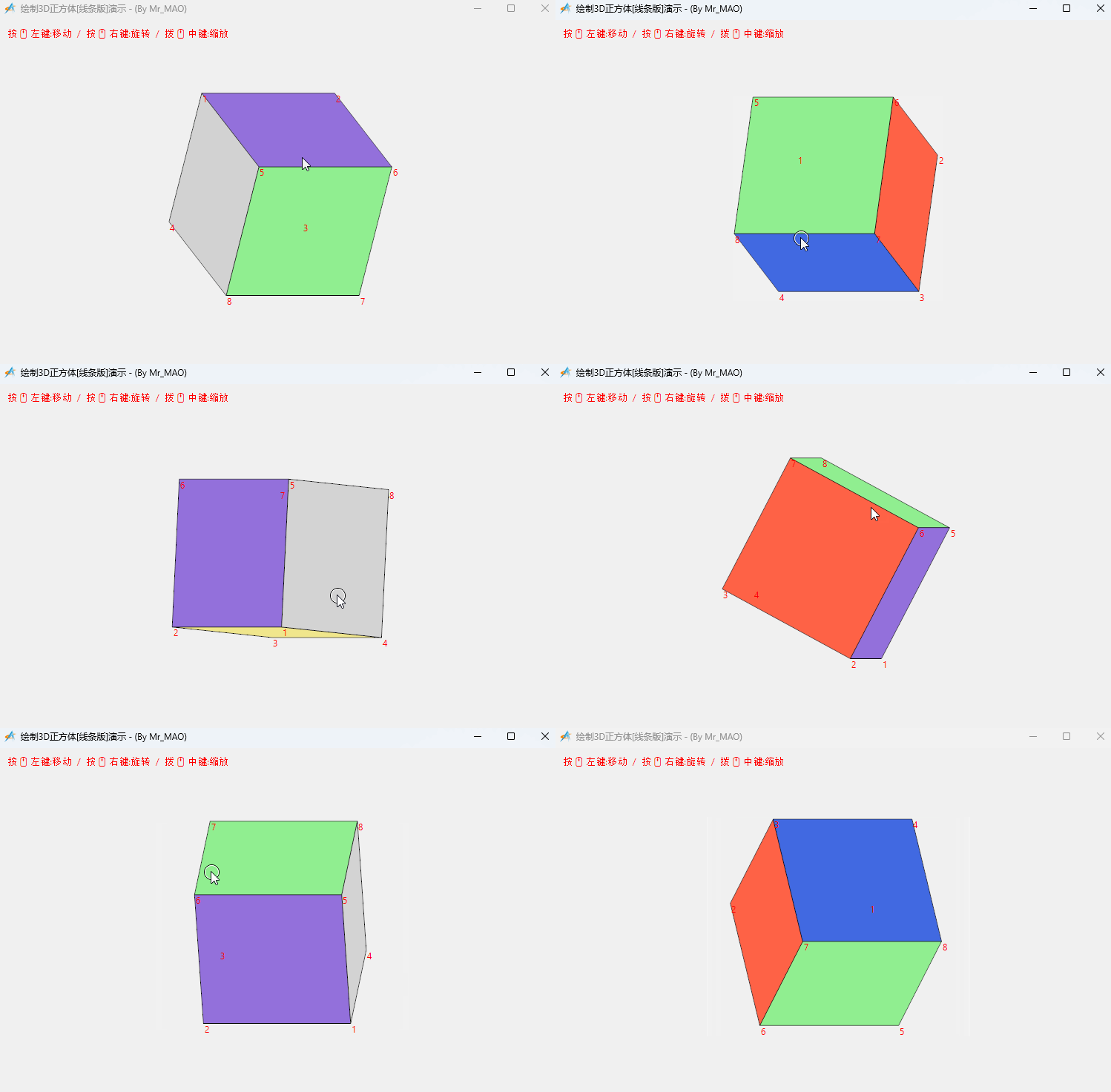
    加上光照投影渐变,让这个正方体立体感更逼真一点!!

    import win.ui;
    import gdip;
    /*DSG{{*/
    var winform = win.form(text="绘制3D正方体[光源版]演示 - (By Mr_MAO)";right=757;bottom=467)
    winform.add(
    plus={cls="plus";left=0;top=0;right=760;bottom=470;db=1;dl=1;dr=1;dt=1;notify=1;z=1}
    );
    /*}}*/
    
    // 定义 3D 顶点
    var vertices = {
        {-1, -1, -1}; {1, -1, -1}; {1, 1, -1}; {-1, 1, -1}; 
        {-1, -1, 1}; {1, -1, 1}; {1, 1, 1}; {-1, 1, 1}      
    };
    
    // 定义面,增加 normal(法向量)字段
    var faces = {
        { indices = {1, 2, 3, 4}; normal = {0, 0, -1}; color = 0xFFE74C3C }; // 后
        { indices = {5, 6, 7, 8}; normal = {0, 0, 1};  color = 0xFF3498DB }; // 前
        { indices = {1, 5, 8, 4}; normal = {-1, 0, 0}; color = 0xFF2ECC71 }; // 左
        { indices = {2, 6, 7, 3}; normal = {1, 0, 0};  color = 0xFFF1C40F }; // 右
        { indices = {4, 3, 7, 8}; normal = {0, 1, 0};  color = 0xFF9B59B6 }; // 顶
        { indices = {1, 2, 6, 5}; normal = {0, -1, 0}; color = 0xFFE67E22 }; // 底
    };
    
    // 状态
    var cubeState = {
        angleX = 0.5;
        angleY = 0.5;
        scale = 120;
        offsetX = 380;
        offsetY = 235;
        lightDir = {x=-1; y=-1; z=1}; // 定义光源方向
    }
    
    // 旋转向量函数
    var rotateVec = function(v, ax, ay) {
        var x, y, z = v[1], v[2], v[3];
        var y1 = y * ..math.cos(ax) - z * ..math.sin(ax);
        var z1 = y * ..math.sin(ax) + z * ..math.cos(ax);
        var x2 = x * ..math.cos(ay) + z1 * ..math.sin(ay);
        var z2 = -x * ..math.sin(ay) + z1 * ..math.cos(ay);
        return {x=x2; y=y1; z=z2};
    }
    
    // 辅助函数:颜色亮度调整 (ARGB)
    var adjustColor = function(color, factor) {
        var a = (color >> 24) & 0xFF;
        var r = ..math.floor(((color >> 16) & 0xFF) * factor);
        var g = ..math.floor(((color >> 8) & 0xFF) * factor);
        var b = ..math.floor((color & 0xFF) * factor);
        return (a << 24) | (r << 16) | (g << 8) | b;
    }
    
    var rgbForm = ::GetSysColor(0x4/*_COLOR_MENU*/);
    // rgb → argb
    var argbForm = ( (rgbForm  & 0xFF) << 16 ) | (rgbForm & 0xFF00) |  (rgbForm>> 16 & 0xFF) | 0xFF000000;
    
    winform.plus.onDrawForegroundEnd = function(graphics, rc){
        graphics.clear( argbForm );
        
        graphics.smoothingMode = 4/*_SmoothingModeAntiAlias*/; 
    
        //自适应显示器的分辨率
        var scaleX, scaleY = winform.getScale();
        graphics.scale(scaleX, scaleY);
        
        // 计算旋转后的顶点
        var rotatedVertices = {};
        for(i=1;#vertices){
            ..table.push(rotatedVertices, rotateVec(vertices[i], cubeState.angleX, cubeState.angleY));
        }
    
        // 准备绘制的面数据并排序
        var sortedFaces = {};
        for(i=1;#faces){
            var f = faces[i];
            var avgZ = 0;
            for(j=1;4) avgZ = avgZ + rotatedVertices[f.indices[j]].z;
    
            // 计算旋转后的法向量
            var rotatedNormal = rotateVec(f.normal, cubeState.angleX, cubeState.angleY);
    
            // 计算光照强度(利用法向量与光源方向的点积)
            // 点积公式:x1*x2 + y1*y2 + z1*z2
            var dot = (rotatedNormal.x * cubeState.lightDir.x) 
                    + (rotatedNormal.y * cubeState.lightDir.y) 
                    + (rotatedNormal.z * cubeState.lightDir.z);
    
            // 归一化处理强度
            var intensity = ..math.max(0.8, ..math.min(1.0, (dot + 1.5) / 1.5));
    
            ..table.push(sortedFaces, {
                indices = f.indices;
                color = f.color;
                z = avgZ / 4;
                intensity = intensity;
            });
        }
    
        ..table.sort(sortedFaces, function(next){ return owner.z < next.z; });
    
        // 绘制面
        for(i=1;#sortedFaces){
            var f = sortedFaces[i];
            var path = gdip.path();
            var points = {};
            var centerX, centerY = 0, 0;
    
            for(j=1;4){
                var rv = rotatedVertices[f.indices[j]];
                var px = rv.x * cubeState.scale + cubeState.offsetX;
                var py = rv.y * cubeState.scale + cubeState.offsetY;
                ..table.push(points,px, py);
                centerX = centerX + px;
                centerY = centerY + py;
            }
            centerX = centerX / 4;
            centerY = centerY / 4;
    
            path.startFigure();
            path.addPolyline(points);
            path.closeFigure();
    
            // 创建路径渐变画刷实现“投影渐变”
            var brush = gdip.pathGradientBrush(path);
            if(brush){ // 判空保护
                brush.setCenterColor( adjustColor(f.color, f.intensity) );
                brush.setSurroundColors({ adjustColor(f.color, f.intensity * 0.7) });
                brush.setCenterPoint(x = centerX, y = centerY);
                graphics.fillPath(brush, path);
                brush.delete();
            }    
            path.delete();
    
            var pen = gdip.pen(0x30000000, 1);
            graphics.drawPolygon(pen, points);
            pen.delete();
        }
    }
    
    // 鼠标逻辑
    var mousePos = {x=0; y=0};
    var isDragging, isRotating = false, false; 
    
    winform.plus.wndproc = function(hwnd,message,wParam,lParam){
        select( message ) {
            case 0x201/*_WM_LBUTTONDOWN*/{
                var x, y = win.getMessagePos(lParam);
                mousePos.x = x;
                mousePos.y = y;     
                isDragging = true;
                winform.plus.capture = true;
            }   
            case 0x204/*_WM_RBUTTONDOWN*/, 0x207/*_WM_MBUTTONDOWN*/{
                isRotating = true;
                winform.plus.capture = true;
            }
            case 0x20A/*_WM_MOUSEWHEEL*/{
                var delta = wParam >> 16;
                cubeState.scale = cubeState.scale + (delta / 120) * 10;
                if(cubeState.scale < 10) cubeState.scale = 10; 
                winform.plus.redraw();   
            } 
            case 0x202/*_WM_LBUTTONUP*/,0x205/*_WM_RBUTTONUP*/,0x208/*_WM_MBUTTONUP*/{
                isDragging = false; isRotating = false;
                winform.plus.capture = false;
            }
        }
    }
    
    winform.plus.onMouseMove = function(wParam,lParam){
        var x, y = win.getMessagePos(lParam);
        if(isDragging){
            cubeState.offsetX = cubeState.offsetX + (x - mousePos.x);
            cubeState.offsetY = cubeState.offsetY + (y - mousePos.y);
            winform.plus.redraw();
        }
        elseif(isRotating){
            cubeState.angleY = cubeState.angleY + (x - mousePos.x) * 0.01;
            cubeState.angleX = cubeState.angleX + (y - mousePos.y) * 0.01;
            winform.plus.redraw();
        }
        mousePos.x, mousePos.y = x, y;
    }
    
    winform.show();
    win.loopMessage();

  • 光庆 1天前
    0 8
    Mr_MAO 加上光照投影渐变,让这个正方体立体感更逼真一点!!import&nbsp;win.ui; import&nbsp;gdip; /*DSG{{*/ var&nbsp;win ...

    搞得这么专业,看不懂了 

  • 近我者赤 1天前
    0 9
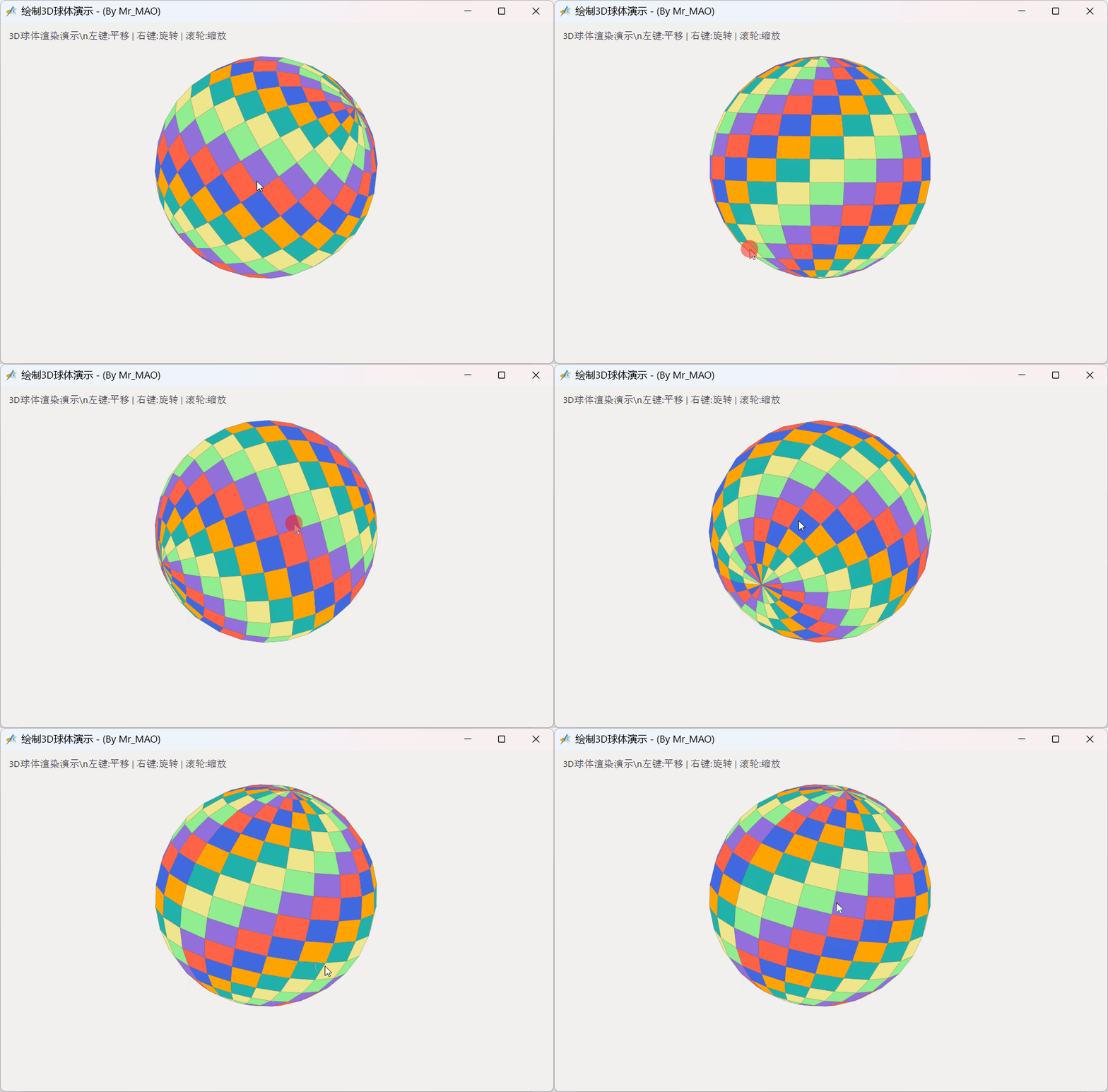
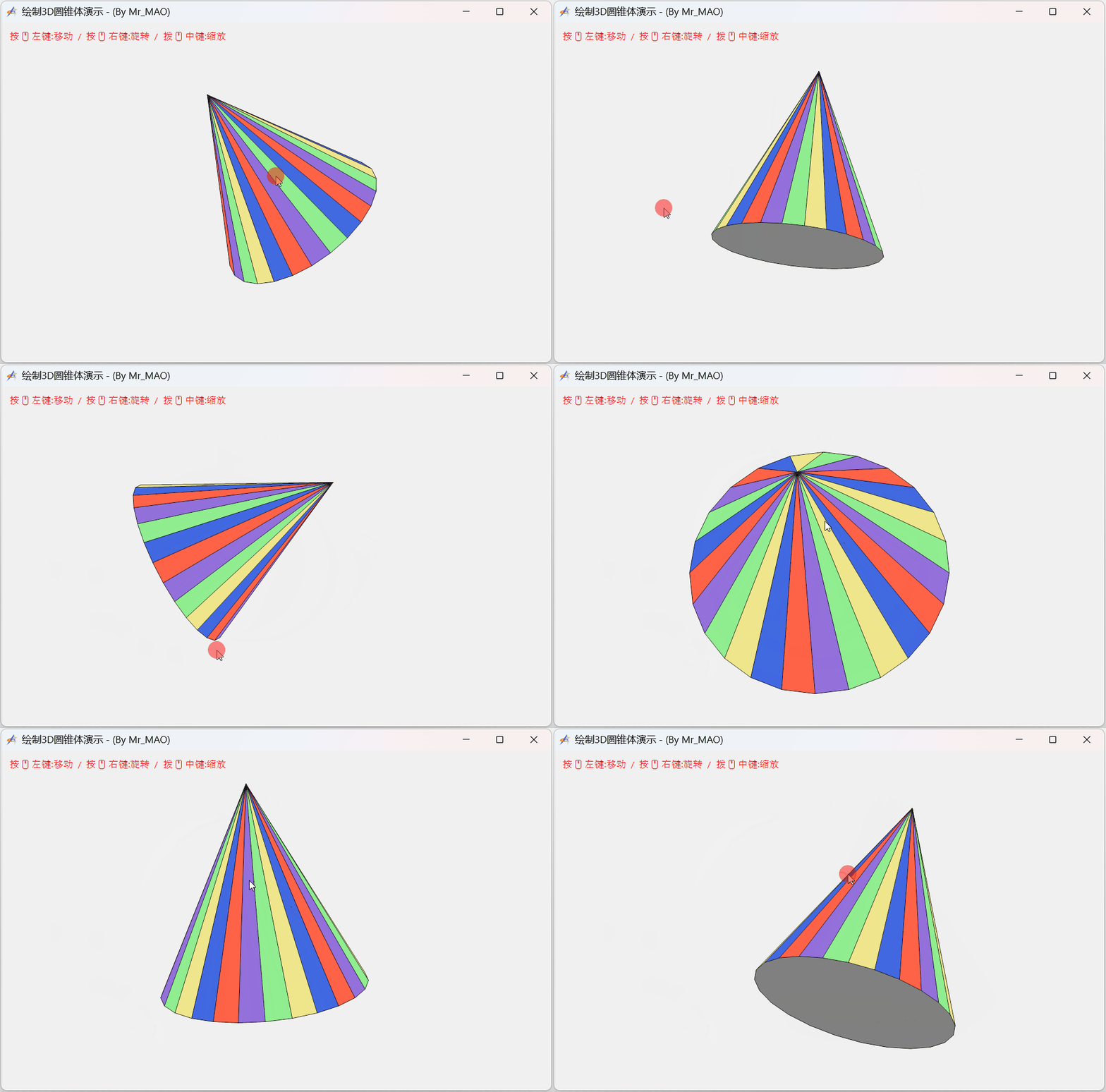
    能画个3D的球或者圆柱,圆锥什么的吗?
  • Mr_MAO 1天前
    0 10

    *** 都【2026】年了,这不就是有手就能实现的事情吗?! 😀😀😀


  • 近我者赤 15小时前
    0 11

    代码呢???


  • mfk 13小时前
    0 12
    Mr_MAO *** 都【2026】年了,这不就是有手就能实现的事情吗?! 😀😀😀

    牛 大佬厉害

  • 光庆 10小时前
    0 13
    Mr_MAO *** 都【2026】年了,这不就是有手就能实现的事情吗?! 😀😀😀
    快上源代码学学
  • Mr_MAO 3小时前
    0 14

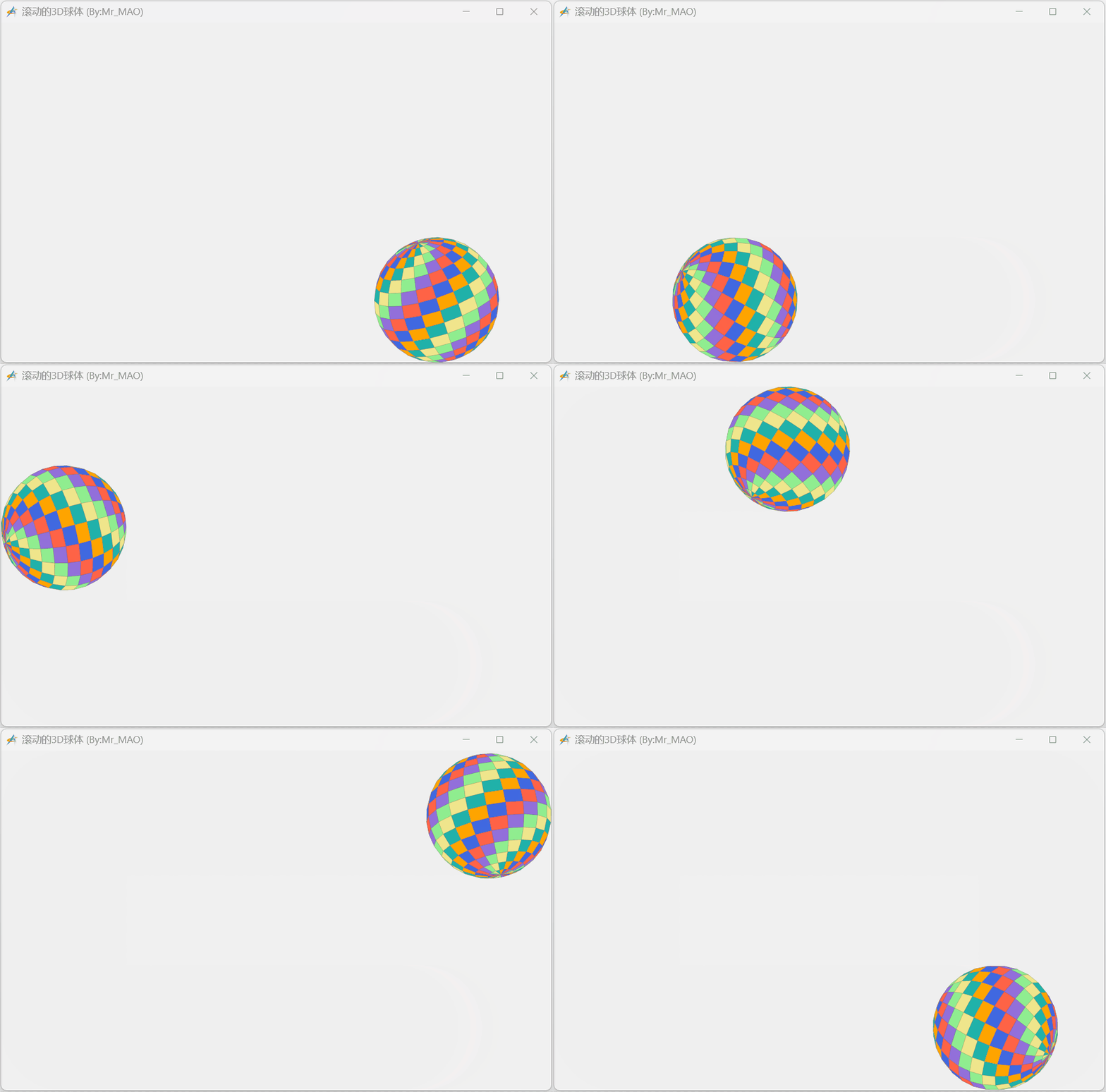
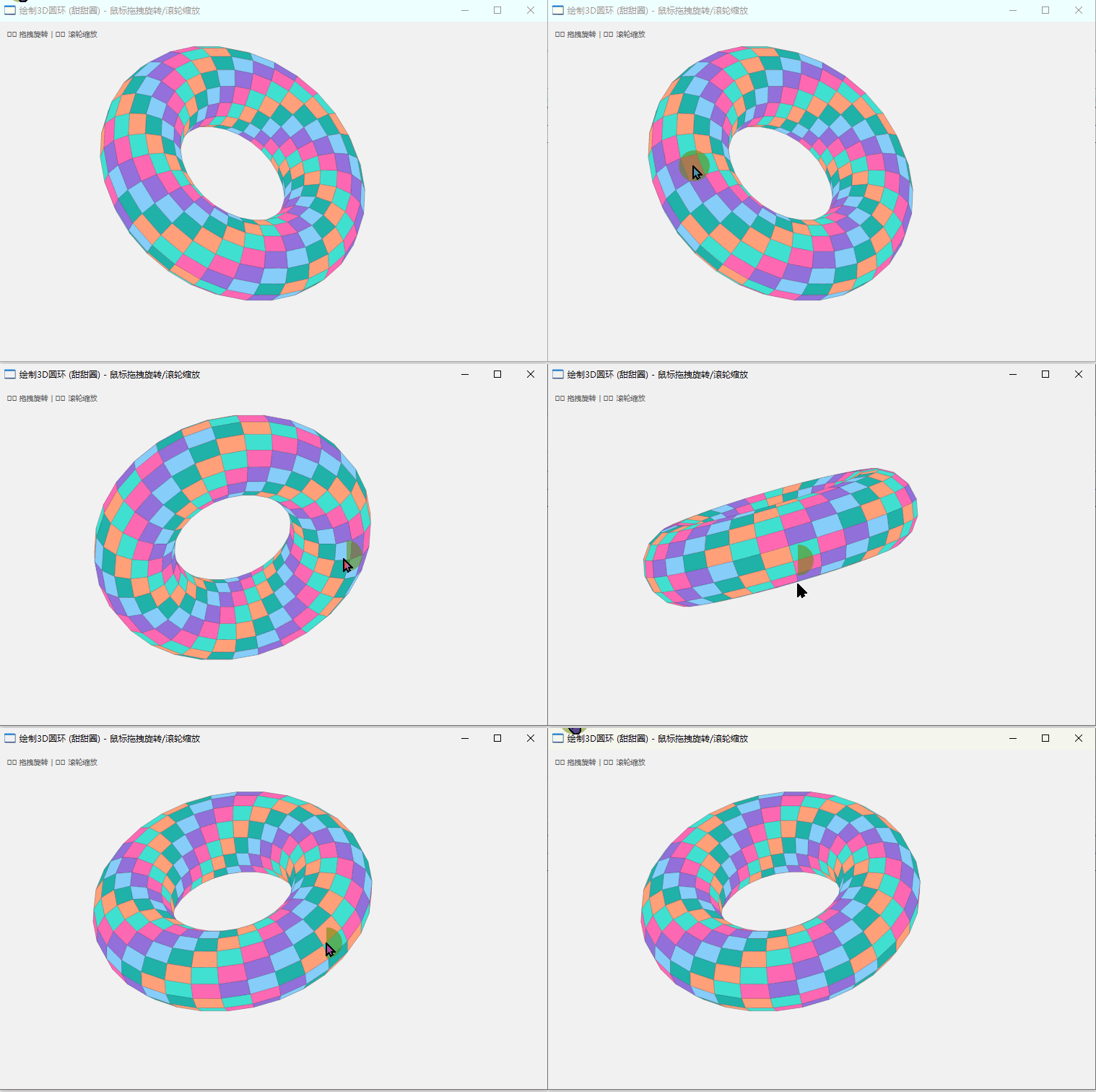
    搁10年前,会点常见图形算法的程序员年薪一般都不低于20W。但是来到2026年,真的没必要钻研算法了,撸代码的事慢慢不需要人干了~~

    import win.ui;
    import gdip;
    /*DSG{{*/
    var winform = win.form(text="滚动的3D球体 (By:Mr_MAO)";right=759;bottom=469)
    winform.add(
    plus={cls="plus";left=0;top=0;right=760;bottom=470;db=1;dl=1;dr=1;dt=1;notify=1;z=1}
    );
    /*}}*/
    
    winform.show();
    
    // ==========================================
    // 1. 生成球体数据
    // ==========================================
    var vertices = {}; 
    var faces = {};    
    var facecolors = {}; 
    
    var sphereRadius = 1.8;     
    var latBands = 15;          
    var lonBands = 20;          
    
    for(lat=0; latBands; 1){
        var theta = lat * ..math.pi / latBands;
        var sinTheta = ..math.sin(theta);
        var cosTheta = ..math.cos(theta);
        for(lon=0; lonBands; 1){
            var phi = lon * 2 * ..math.pi / lonBands;
            var x = ..math.cos(phi) * sinTheta;
            var y = cosTheta;
            var z = ..math.sin(phi) * sinTheta;
            ..table.push(vertices, {x * sphereRadius, y * sphereRadius, z * sphereRadius});
        }
    }
    
    var colors = {0xFFF0E68C, 0xFF90EE90, 0xFF9370DB, 0xFFFF6347, 0xFF4169E1, 0xFFFFA500, 0xFF20B2AA};
    for(lat=0; latBands-1; 1){
        for(lon=0; lonBands-1; 1){
            var first = (lat * (lonBands + 1)) + lon + 1;
            var second = first + lonBands + 1;
            ..table.push(faces, {first, second, second + 1, first + 1});
            var colorIdx = (lat + lon) % #colors + 1;
            ..table.push(facecolors, colors[colorIdx]);
        }
    }
    
    // ==========================================
    // 2. 运动状态与逻辑
    // ==========================================
    var objState = {
        fixedAngleX = 0.6; // 固定倾斜,
        fixedAngleY = 0.6; // 固定倾斜
        angleZ = 0;        // 滚动的动画轴:绕Z轴旋转
        scale = 60; 
        offsetX = 0;
        offsetY = 0;
    }
    
    // 核心旋转函数:先做固定的3D倾斜,再做绕Z轴的滚动旋转
    var rotate = function(v, ax, ay, az) {
        var x, y, z = v[1], v[2], v[3];
        
        // 1. 绕 X 轴旋转 (ax)
        var y1 = y * ..math.cos(ax) - z * ..math.sin(ax);
        var z1 = y * ..math.sin(ax) + z * ..math.cos(ax);
        
        // 2. 绕 Y 轴旋转 (ay)
        var x1 = x * ..math.cos(ay) + z1 * ..math.sin(ay);
        var z2 = -x * ..math.sin(ay) + z1 * ..math.cos(ay);
        
        // 3. 绕 Z 轴旋转 (az) - 这是球滚动的轴(垂直于屏幕)
        var x2 = x1 * ..math.cos(az) - y1 * ..math.sin(az);
        var y2 = x1 * ..math.sin(az) + y1 * ..math.cos(az);
        
        return x2, y2, z2;
    }
    
    // 运动控制
    var step = 5; 
    var rotateSpeed = 0.08; 
    var moveDir = 0; // 0:下边(右->左), 1:左边(下->上), 2:上边(左->右), 3:右边(上->下)
    
    // 初始化位置:右下角
    var r = objState.scale * sphereRadius; 
    objState.offsetX = winform.plus.width - r;
    objState.offsetY = winform.plus.height - r;
    
    winform.setInterval(
        function(){
            var w = winform.plus.width;
            var h = winform.plus.height;
            var r = objState.scale * sphereRadius; 
            
            if(moveDir == 0){ // 下边向左
                objState.offsetX -= step;
                objState.angleZ -= rotateSpeed; // 逆时针滚动旋转
                if(objState.offsetX <= r){
                    objState.offsetX = r;
                    moveDir = 1; 
                }
            }
            elseif(moveDir == 1){ // 左边向上
                objState.offsetY -= step;
                objState.angleZ -= rotateSpeed; 
                if(objState.offsetY <= r){
                    objState.offsetY = r;
                    moveDir = 2; 
                }
            }
            elseif(moveDir == 2){ // 上边向右
                objState.offsetX += step;
                objState.angleZ -= rotateSpeed; 
                if(objState.offsetX >= w - r){
                    objState.offsetX = w - r;
                    moveDir = 3; 
                }
            }
            elseif(moveDir == 3){ // 右边向下
                objState.offsetY += step;
                objState.angleZ -= rotateSpeed; 
                if(objState.offsetY >= h - r){
                    objState.offsetY = h - r;
                    moveDir = 0; 
                }
            }
            winform.plus.redraw();
        }, 20
    )
    
    // ==========================================
    // 3. 绘图逻辑
    // ==========================================
    var rgbForm = ::GetSysColor(0xF/*_COLOR_WINDOW*/);
    var argbForm = ( (rgbForm  & 0xFF) << 16 ) | (rgbForm & 0xFF00) |  (rgbForm>> 16 & 0xFF) | 0xFF000000;
    
    winform.plus.onDrawForegroundEnd = function(graphics, rc){
        graphics.clear( argbForm ); 
        graphics.smoothingMode = 4/*_SmoothingModeAntiAlias*/; 
        
        // 变换顶点
        var transformedV = {};
        for(i=1; #vertices){
            var v = vertices[i];
            // 应用旋转:固定X,Y倾斜 + 动态Z轴滚动
            var rx, ry, rz = rotate(v, objState.fixedAngleX, objState.fixedAngleY, objState.angleZ);
            transformedV[i] = {
                x = rx * objState.scale + objState.offsetX;
                y = ry * objState.scale + objState.offsetY;
                z = rz; 
            };
        }
        
        // 准备面并进行深度排序
        var drawList = {};
        for(i=1; #faces){
            var f = faces[i];
            var totalZ = transformedV[f[1]].z + transformedV[f[2]].z + transformedV[f[3]].z + transformedV[f[4]].z;
            ..table.push(drawList, {
                z = totalZ;
                points = {
                    transformedV[f[1]].x, transformedV[f[1]].y;
                    transformedV[f[2]].x, transformedV[f[2]].y;
                    transformedV[f[3]].x, transformedV[f[3]].y;
                    transformedV[f[4]].x, transformedV[f[4]].y;
                };
                color = facecolors[i];
            });
        }
        ..table.sort(drawList, function(b){ return owner.z < b.z; });
        
        // 绘制
        var pen = gdip.pen(0x40000000, 1);
        for(i=1; #drawList){
            var item = drawList[i];
            var brush = ..gdip.solidBrush(item.color);
            graphics.fillPolygon(brush, item.points);
            graphics.drawPolygon(pen, item.points);
            brush.delete();
        }
        pen.delete();    
    }
    
    win.loopMessage();

返回